 A community
The person reading a public issue needs the failing action, environment and relevant error. They do not need production credentials, real user records or your entire local configuration.
Keep a private original
Preserve the raw diagnostic record privately before preparing a shareable version. Work on a copy. Identify what supports the report: the command, its result, the first relevant exception, the target and the exact SDK identity.
Inspect URLs, request headers, file paths, account identifiers and attached fixtures. Diagnostic tools can include information unrelated to the failure. Do not upload a complete log just because a form provides an attachment field.
| Potentially private item | Useful replacement |
|---|---|
| A token or credential | Remove the value; retain only that authentication was involved if relevant |
| A personal directory | A consistent placeholder such as /project/ |
| A real user record | A synthetic fixture with the same relevant shape |
| A private service URL | A descriptive placeholder preserving the relevant protocol/context |
| An unrelated session log | A focused excerpt with the original failure chronology |
Preserve the diagnostic meaning
Use consistent placeholders. If two different paths matter, give them different labels; otherwise redaction can make distinct inputs look identical. Keep exception types and relevant stack structure where you can share them. Note when a necessary detail has been removed and offer a synthetic reproduction instead of guessing it.
Shareable record — synthetic template
Action and starting state:
Command / exit result:
SDK repository and revision:
Target / mode / operating system:
First relevant error and selected stack context:
Consistent replacements used:
Synthetic fixture and reproduction steps:
Details intentionally withheld:
What another reader can reproduce:
Check the outgoing copy
- Read the shareable record from beginning to end.
- Search for credentials, private URLs and personal data.
- Confirm that the reproduction still makes sense using the placeholders.
- Check attachments separately; redacting the issue text does not redact a file.
- Submit only through the intended project’s current reporting route.
The local issue brief does not upload text or automatically detect secrets. Its output still needs this review. If a secret was already exposed, follow the credential owner’s incident and rotation procedure; editing a public issue is not proof that the value is safe again.
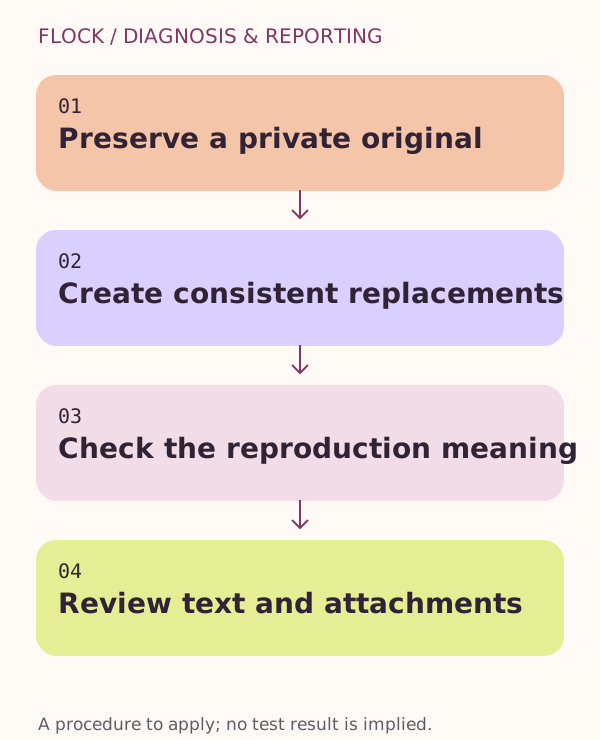
Preserve a private original → Create consistent replacements → Check the reproduction meaning → Review text and attachments.