 A community
Treat an SDK migration as scoped changes. Match relevant notices to code the application actually uses.
Define the interval
Record both SDK identities and app revision. Preserve lockfile and local modifications so package upgrades are not mistaken for framework migration effects. Name the targets and journeys in release scope.
Flutter groups breaking-change guides by release and warns that historical workarounds may become inaccurate. A notice starts an applicability check; do not mechanically apply its sample to every later version or fork.
Build an applicability ledger
- Review notices for the versions crossed by the migration.
- Locate the API, platform behaviour or configuration in your application.
- Record affected files and observable behaviour.
- Preview supported automated fixes in a preserved working copy.
- Review proposed edits before accepting a subset.
- Run checks covering the changed behaviour on the candidate.
| Notice | Synthetic app evidence | Disposition |
|---|---|---|
| API change | Usage in editor | Review and test component |
| Another target | Outside release scope | Record exclusion |
| Old workaround | Problem not reproduced | Investigate before removal |
Preview is not validation
Dart documents dart fix --dry-run to preview fixes and --apply to write them. A supported fix does not establish that migration is complete. Retain unsupported diagnostics and behaviour changes.
# Preview in the intended app and recorded SDK.
# Read local help first for a historical SDK.
dart fix --dry-run

Migration record
Baseline and candidate:
Applicable notice URL / release:
Affected usage:
Preview reviewed:
Accepted edit:
Behavioural check and actual result:
Remaining gap:
Handle an ambiguous result
In a synthetic example, the build succeeds after an API edit but keyboard dismissal differs in a dialog. Compilation confirms part of the migration. It does not settle the interaction claim. Inspect the relevant notice or framework change and test the journey.
If dependencies changed too, separate their resolution diff from the SDK migration. Avoid “upgrade everything” while investigating one blocker. Smaller scopes make comparison and rollback reviewable.
Finish with a decision
For each applicable notice retain reason, correction and result. For each exclusion retain its scope assumption. For unresolved rows name the next evidence. “No compiler errors” is not a universal compatibility claim.
Keep a path back to the working baseline until relevant candidate checks pass. When a fork incorporates only some upstream changes, inspect source and actual behaviour instead of assigning compatibility from a familiar label. Review the ledger again if another target enters release scope or a later SDK changes the same API.
Visual procedure
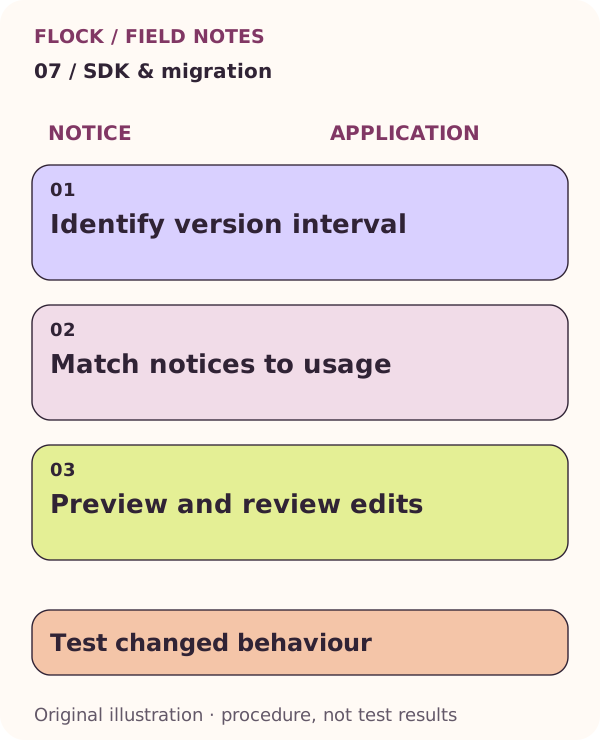
Identify version interval; then Match notices to usage; then Preview and review edits; then Test changed behaviour. This is an explanatory illustration, not a test result.