 A community
Record how the app reached its failing state. A reloaded session and fresh launch can hold different state even when source files match.
Name the operation
Flutter hot reload preserves app state and does not rerun main() or initState(). Hot restart restarts the Dart app and loses that state. A full restart also rebuilds native components described by the tooling guide.
Identify what changed: widget build code, initialization, static values or native integration. Read reload limitations for the SDK being tested. A rejected reload is not proof that the complete application cannot build.
Compare deliberate runs
- Record original launch, interactions and state before editing.
- Edit and observe the hot-reloaded session.
- Hot restart, recreating required user actions.
- When relevant, stop and fully relaunch on the same target.
- Compare the same observation at the same journey point.
Keep SDK, app revision, device and data fixed. Record any additional change to persisted fixtures or server sessions. A fresh launch does not necessarily erase persistent storage.
| Run | State | Question |
|---|---|---|
| Reload | Retained state + edited code | Does prior state explain it? |
| Hot restart | Recreated Dart state | Does initialization reproduce it? |
| Full launch | Native startup + persistence | Does the user journey fail? |
An initialization example
In a synthetic settings screen, an initial value is assigned during initialization. Editing the initializer and reloading leaves the existing state visible. Restart with the same starting conditions before reinstalling an SDK.
If a cold launch displays the new value, the observation concerns retained development state. If it still fails, preserve the separate cold-launch reproduction. Keep the reload case too: it explains why two developers can report different outcomes from the same edit.
Make the report repeatable
“Edited initializer, hot reloaded, existing value remained” is more informative than “reload broken”. Include the initial launch and actions that created state. Retain console errors and rejected reload messages.
For review, say whether the condition depends on a development operation or occurs on normal user launch. Both can be legitimate tooling issues but support different claims. Debug reload evidence cannot replace release-startup evidence.
After a native edit requiring full restart, retain actual build and launch results. This worksheet isolates the state boundary; it does not certify every edit is reloadable. Include the source change and initialization scope so another developer can reproduce the comparison without guessing which stored or in-memory value was present.
Visual procedure
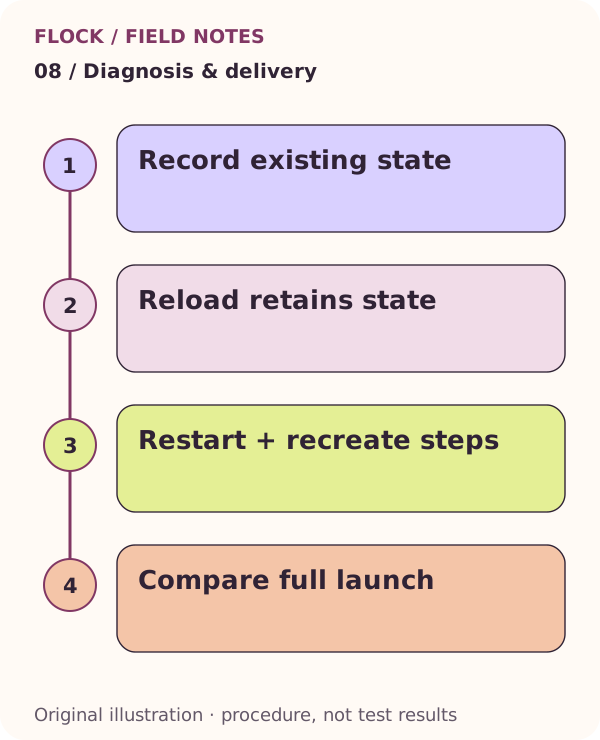
Record existing state; then Reload retains state; then Restart + recreate steps; then Compare full launch. This is an explanatory illustration, not a test result.