 A community
A passing debug interaction, a performance trace and a release build answer different questions. State the mode before comparing results.
Define the question before the command
Flutter documents debug for development, profile for performance analysis and release for deployment. For mobile performance, use a suitable physical device and the documented profiling workflow. Do not compare a debug run on one device with a release run on another and attribute the entire difference to the SDK.
Keep mode, target and device attached to each observation. A runtime error that appears only in one mode is a useful reproduction condition, not something to average away.
| Question | Record | Do not conclude |
|---|---|---|
| Can I step through this failure? | Debug reproduction and debugger context | That release behaves identically |
| Did this change affect a specific interaction’s timing? | Profile trace on the named device | That a debug timing is a production benchmark |
| Does the shipping target build and perform the required flow? | Release artifact and observed flow | That compilation alone proves every interaction |
Run a controlled comparison
- Use the same app revision, dependency lockfile and input data.
- Name the SDK and target device for both runs.
- Choose the mode appropriate to the question.
- Repeat the exact user actions and preserve the raw output.
- Investigate a mismatch without silently switching the mode or device.
Mode comparison — synthetic worksheet
User action: open and close the details panel
Baseline SDK / candidate SDK:
App revision / dependency lockfile:
Target device / operating system:
Mode:
Preparation and warm-up steps:
Expected result:
Observed result and trace/log:
What changed between runs:
Interpret a mode-only failure
Imagine a synthetic issue that appears in release but not debug. The useful report includes that distinction and the smallest reproduction under the failing mode. It does not report “fixed” merely because a later debug attempt passed.
Likewise, keep a performance conclusion tied to the tested interaction, device and workload. This page supplies a comparison procedure, not a claim that Flock is faster or that a particular application has passed a release check.
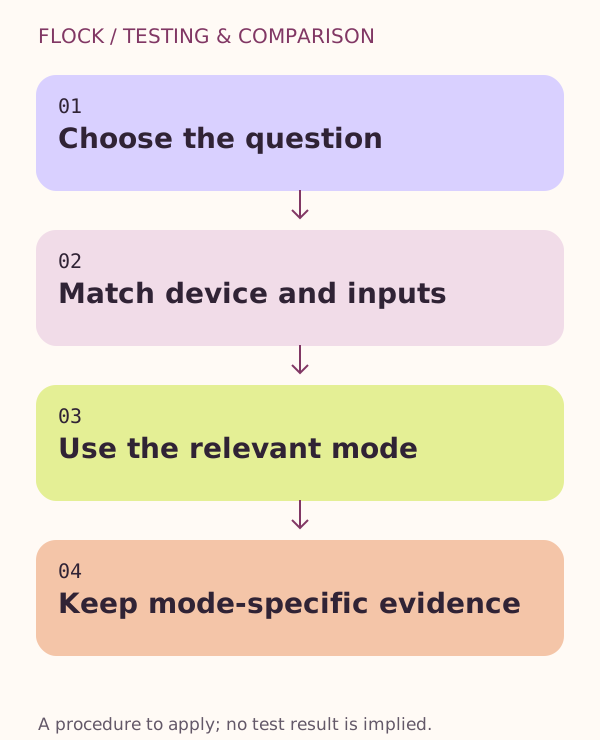
Choose the question → Match device and inputs → Use the relevant mode → Keep mode-specific evidence.