 A community
A changed screenshot is a question to investigate. Approving a replacement baseline should follow an explanation of the changed pixels.
Freeze the comparison conditions
Record SDK revision, host platform, viewport, pixel ratio, locale, text scaling, theme and fonts. Keep test data and captured state alongside the record. If these inputs changed together, a visual difference cannot yet be attributed to the patch.
Flutter’s golden matcher compares an image with a reference. Its API documents font-related variation across platforms and Flutter versions. A green comparison supports that image and environment, not every device.
Read the difference in three passes
- Compare full reference and candidate images to locate changed regions.
- Inspect each region in context: text, spacing, clipping, colour, images and focus.
- Explain the cause as intended change, environment mismatch or unresolved defect.
Preserve the original, candidate and difference view for another reviewer. Check actual rendered content when an image is blank. An empty capture can match another empty capture while proving little about the intended screen.
| Region | Synthetic observation | Decision |
|---|---|---|
| Headline | All glyph widths shifted | Check font and environment |
| Error | New required text wraps | Review layout and clipping |
| Action | Control disappeared | Investigate before accepting |
Separate baseline updates from fixes
Suppose a synthetic patch intentionally changes one error message. That message and required spacing should be expected to differ. If the whole page shifts, investigate the additional change rather than approving it under the same explanation.
The documented flutter test --update-goldens operation writes reference files. Use it only after reviewing the intended change in the appropriate working copy. Inspect the resulting diff before retaining it. No sample reference is pre-approved by this guide.
Check what screenshots cannot establish
A reference image does not show whether keyboard activation works, a label reaches the semantics tree or a value survives restart. Pair the image with behavioural assertions required by the feature.
For every accepted region record the reason, decision, reference identity and environment. For unexplained changes record the next investigation. A candidate using another renderer or platform deserves a separate comparison, not a silent replacement of the established baseline.
Name the state represented by each reference and retain its test data. A future reviewer should understand why it exists without reconstructing an entire pull request. Keep a narrow capture where it helps identify the component, but also review enough surrounding context to catch content hidden by an ancestor or an unexpected layout change.
Visual procedure
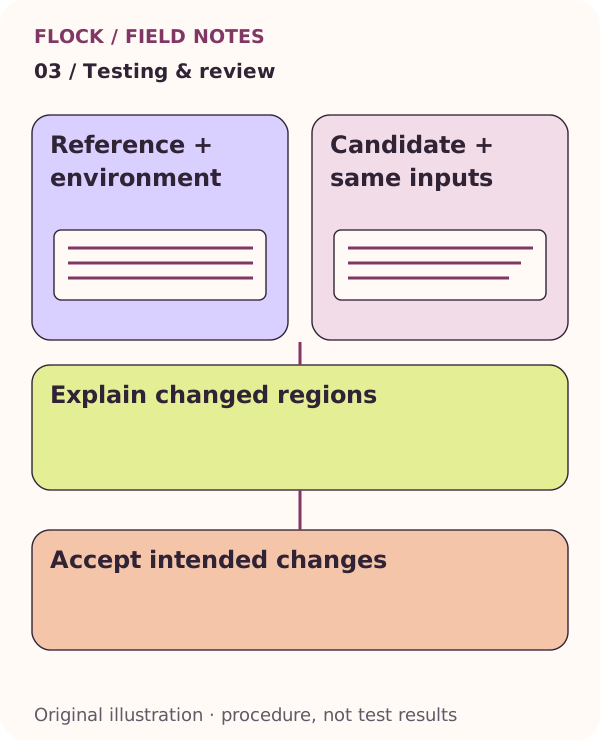
Reference + environment; then Candidate + same inputs; then Explain changed regions; then Accept intended changes. This is an explanatory illustration, not a test result.