 A community
A green summary belongs to specific job inputs. Before using it as evidence, establish what the runner actually selected and which checks completed.
Identify the run before the result
Keep the application commit, workflow revision, event, selected job and matrix entry together. Read the actual SDK-selection step and its version output. A step named “install SDK” does not establish that the expected checkout was used.
GitHub workflows can conditionally run jobs and steps. Read conditions and dependencies as well as the final status. A skipped target has not passed its build. A later rerun can use changed inputs; preserve its identity instead of overwriting the first result.
| Evidence | Check |
|---|---|
| SDK identity | Repository/revision actually selected by the job |
| Dependency state | Lockfile and any resolution changes |
| Cache hit | Whether restored contents match the intended inputs |
| Command result | Exit status and relevant raw output |
| Target artifact | Built output belongs to the selected target and run |
Investigate a local/CI mismatch
- Compare app and SDK revisions before changing code.
- Compare dependency inputs and generated configuration.
- Match target, mode and relevant runner environment.
- Inspect restored caches as inputs, not as evidence of correctness.
- Repeat the smallest failing operation under aligned conditions.
Do not solve an identity mismatch by deleting every shared cache. Identify the cache’s scope, preserve working selections and document the one condition you change.
Worked outcome
A synthetic local widget test passes while CI fails. The CI log identifies a different SDK revision restored under a broad cache key. This explains a mismatch in the experiment’s inputs; it does not yet identify an SDK bug. The next test aligns the revision and repeats the same case.
Conversely, a matching SDK and passing analysis do not prove that a missing target build completed. Keep each command’s result separate. Add the exact run record to the release evidence only after checking the job that supports the claim.
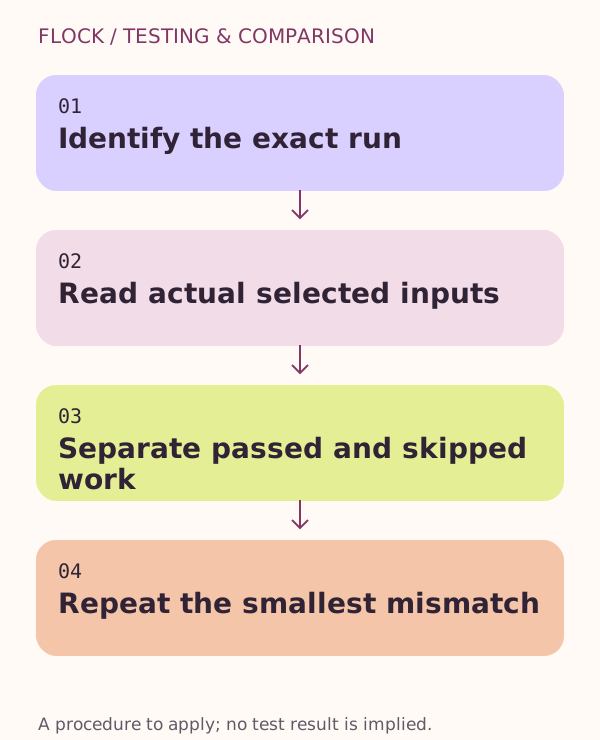
Identify the exact run → Read actual selected inputs → Separate passed and skipped work → Repeat the smallest mismatch.
Primary sources
Continue with the next step
Resolve the next specific question
- Choose the right test level for a Flutter regression
Turn a release blocker into a small test matrix: logic, widget behaviour and a target journey.
- Diagnose a Flutter web release that shows a blank page
Trace deployed startup from document and bootstrap through resource responses to the first application frame.
- Separate download failures from Flutter SDK failures
Identify repository, package or artifact retrieval failures before changing app code during an SDK trial.