 A community
A successful build and an HTTP 200 homepage do not prove a deployed application starts. Inspect delivered files and the first useful browser error.
Separate build output from delivery
Record SDK, app revision, build command and intended URL path. Keep the generated release directory as one candidate. Compare it with served files rather than mixing a new document with an earlier bootstrap or bundle.
The Flutter release guide describes output under build/web. Its initialization guide explains bootstrap and loader. Follow the instructions applicable to the SDK being used; a feature documented for a newer release is not automatically available in an older Flock checkout.
Follow the startup chain
- Open the deployed document at the intended root or subpath.
- Read the first console error without suppressing it.
- Inspect bootstrap status, response type and body.
- Follow the next failing resource, including engine or asset requests.
- Compare it with the matching generated candidate.
- After correction, reload and exercise a real interaction.
Below a subpath, inspect how resource URLs resolve there. Check a direct application-route visit as well as the initial visit when your routing design requires it.
| Response | Observation | Next check |
|---|---|---|
| 200 containing HTML | Fallback answered script request | Routing and actual body |
| Correct bytes, wrong type | Browser may reject execution | Type and console error |
| New document, old bundle | Delivery inputs differ | Cache identity and scope |
Work a failure through to a correction
In a synthetic case, bootstrap returns 200 but contains the site’s HTML fallback. No first application frame appears. Correct the static-file routing for that request, then verify response and startup again. Rebuilding the framework is not the first useful action.
In another case, correct script bytes arrive with an unsuitable media type. Preserve browser protections and correct the server mapping. Do not disable validation or security headers merely to hide the execution error.
Verify the public URL
Retest public delivery, not only a local preview with different headers. Record final URL, resource responses, first frame and a meaningful interaction. Keep candidate identity and relevant CDN headers.
If an old response is suspected, compare URL and bytes before deleting caches. A versioned asset URL can distinguish a new response, but references must match. Do not rename generated files independently of the complete output.
This is a fault-isolation procedure, not a universal server configuration or certification of all Flock web targets. Keep content security policy and TLS intact. If the first frame appears but navigation fails, preserve that new observation as a separate stage; startup success does not establish that routing, forms or persistence work.
Visual procedure
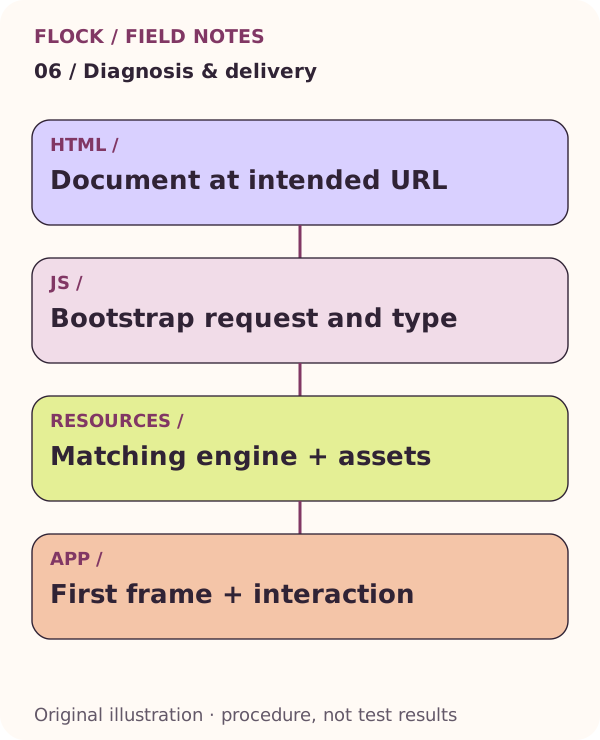
Document at intended URL; then Bootstrap request and type; then Matching engine + assets; then First frame + interaction. This is an explanatory illustration, not a test result.