 A community
Choose a specific interaction and a measurement method before comparing candidates. An uncontrolled timing difference is a lead to investigate, not a product performance claim.
Define the workload
Write down the exact interaction, input size and starting state. Separate startup, scrolling, rendering and network-dependent work. If the workload changes between runs, preserve that difference rather than describing the measurements as interchangeable.
Flutter’s profiling guidance provides DevTools and performance views for investigating UI work. Use an appropriate profile-mode setup and a representative device for the target. Keep source, dependencies and configuration fixed while evaluating the SDK change.
Performance comparison plan — synthetic template
Question: Does candidate B change this specific scrolling case?
App revision / package state:
Device / OS / display conditions:
SDK A / SDK B exact revisions:
Build mode and measurement tool:
Dataset and starting state:
Preparation / warm-up sequence:
Repeated run procedure:
Raw trace locations:
Environmental interruptions:
Result limited to this workload:
Make repeated runs interpretable
- Prepare the same workload and starting state for both candidates.
- Record relevant device and mode conditions.
- Use the same measurement procedure and retain individual traces.
- Record interruptions or a changed workload explicitly.
- Repeat unexpected observations before drawing a conclusion.
Do not select only the fastest run or combine measurements from incompatible setups. Keep the original data and explain how you summarized it. No minimum improvement or benchmark result is established by this template.
A worked interpretation
In a synthetic investigation, candidate B looks faster only on its first run, while the baseline’s run includes loading different data. The team has not established an SDK improvement. It aligns the workload, separates preparation from the measured action and repeats the comparison.
If the observation survives a controlled comparison, report the exact tested workload and conditions. Avoid expanding a narrow result into “all apps are faster”. If the target device is unavailable, retain the plan and mark the comparison as not run.
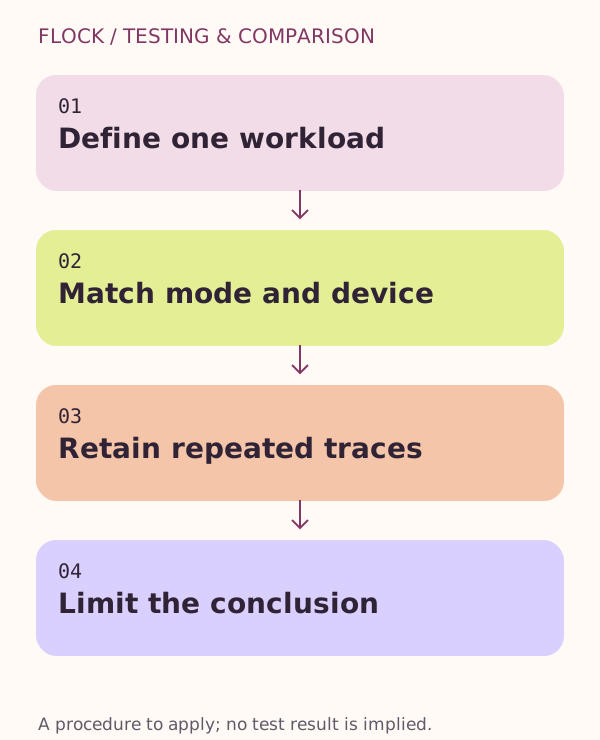
Define one workload → Match mode and device → Retain repeated traces → Limit the conclusion.