 A community
An FVM configuration expresses a requested selection. Verify the checkout that request resolves to before drawing a conclusion about Flock.
Separate the three identities
Write down the requested ref, the intended repository and the actual installed revision as separate values. FVM documents both named forks and project-specific repository configuration. Choose the approach appropriate to your installed FVM version, rather than combining instructions from different eras.
The current configuration reference includes flutterUrl, and documents FVM_FLUTTER_URL as an environment setting. The custom-SDK guide warns about conflicting cached release/channel names when using a different repository. These are reasons to inspect an existing setup before deleting anything.
Selection record
Project directory:
FVM version:
Selection method: named fork / project repository
Requested ref:
Intended repository:
Actual installed revision:
Existing cache entry reviewed:
IDE SDK selection reviewed:
Use a bounded sequence
- Preserve the working project configuration and note its SDK output.
- Read the installed FVM help and the current fork guide.
- Choose one repository-selection method for the isolated trial.
- Inspect the selected SDK’s identity, then run the original reproduction.
- If identity is wrong, resolve that mismatch before testing application behaviour.
A missing project URL is not evidence that a particular fork is in use. Similarly, a URL naming Flock does not prove the cache contains the intended checkout. Keep requested configuration and observed identity side by side.
Worked decision
A synthetic trial requests master from the Flock repository, but the recorded installed revision belongs to the previous checkout. The configuration review has not passed. The developer checks the cached selection and the fork naming method, then repeats the version check before making an app change.
Do not remove a shared cache merely because a historical guide says to start fresh. First identify which projects use it and retain their working selections. The local inspector can highlight questions in JSON; it cannot inspect your global environment or prove repository provenance.
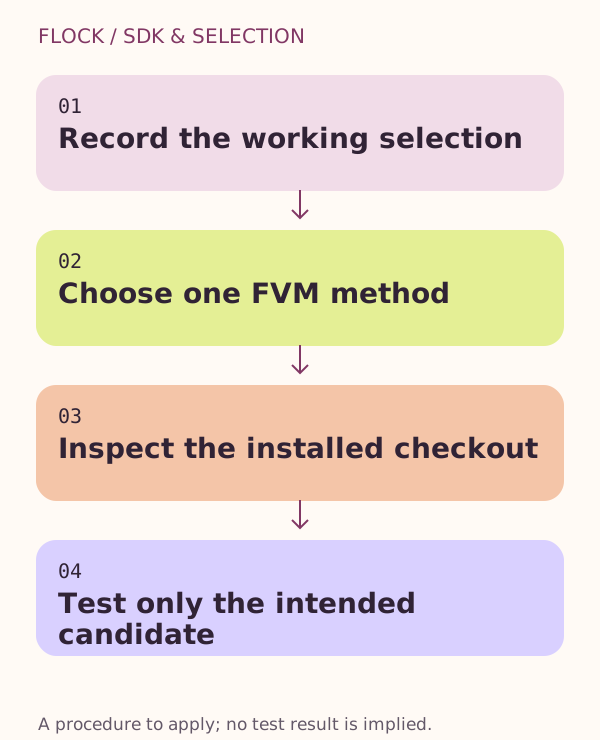
Record the working selection → Choose one FVM method → Inspect the installed checkout → Test only the intended candidate.