 A community
An environment report describes installed tooling. Interpret it against the platform you are trying to build and the operation that actually failed.
Start with the intended target
Record whether the task concerns web, Android, iOS or a desktop target, and whether you are building or running. Preserve flutter doctor -v output with the SDK identity. A report from another SDK or machine cannot explain the current failure by itself.
The Flutter CLI exposes doctor, devices and target-specific build commands. Read the first failing operation and relate it to the relevant tooling. Avoid changing every installed platform component at once; that makes the next result harder to attribute.
Environment triage record
Selected SDK and revision:
Machine / operating system:
Intended target and operation:
First failing command:
Relevant report section:
Proposed single change:
Same-command rerun result:
Unrelated warnings retained:
Sort findings by relevance
Classify a finding as blocking the selected operation, requiring a separate target investigation, or not yet understood. This classification is a working diagnosis, not a claim that a warning is harmless forever. If you later add a target to the release scope, revisit its tooling.
| Observation | Next useful step |
|---|---|
| Selected target cannot be found | Check device availability and the target-specific tooling |
| Command uses an unexpected SDK | Resolve executable selection before installation changes |
| Warning concerns another platform | Keep it recorded; evaluate it when that platform enters scope |
| Report looks healthy but build fails | Inspect the actual build log; doctor is not a build test |
A bounded example
In a synthetic web-only trial, a developer sees a warning for an unused mobile toolchain. They retain the warning, run the actual web checks and document that mobile was outside the trial. They do not claim the application is ready for every platform.
Conversely, a healthy-looking environment report does not overrule a failing target build. Keep the raw failure and investigate its earliest relevant error. When a tooling change is necessary, make one documented change and repeat the same operation before moving on.
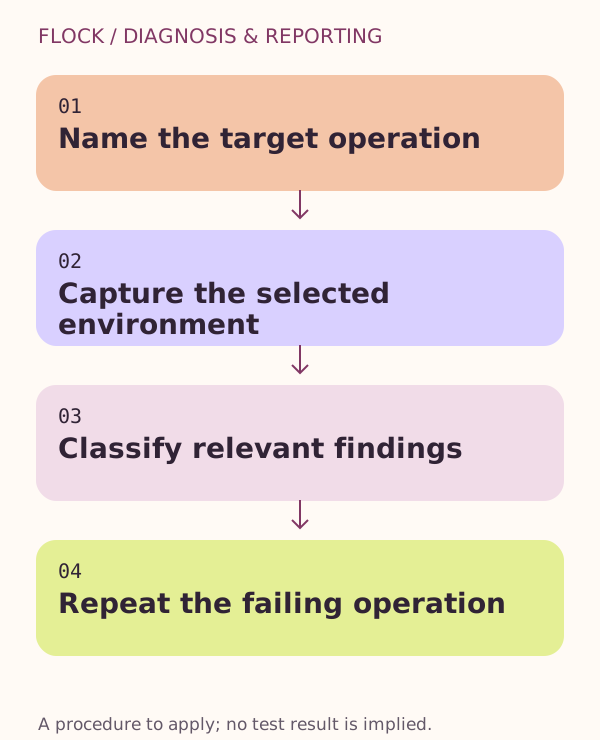
Name the target operation → Capture the selected environment → Classify relevant findings → Repeat the failing operation.