 A community
Follow the first missing resource through its pipeline. Changing SDK, theme and cache together obscures the original loading failure.
Identify the missing item
Record the logical asset path or font family requested by the affected widget. Compare spelling, case and directory with source and declaration. Check the project root, especially in a repository with several apps.
Flutter uses the assets section of pubspec.yaml to declare bundled resources. Directory declarations do not generally include arbitrary nested directories. Font declarations associate a family with files and weights. Inspect these separately when an image loads but typography differs.
Inspect the boundaries in order
- Confirm the source file exists in the intended project and can be read.
- Check pubspec declaration and YAML indentation.
- Compare the requested key or family with that declaration.
- Build with the recorded SDK and inspect output or build failure.
- For web delivery inspect the actual resource response, type and body.
- Observe the resulting image or glyphs on the target.
Preserve the first error. A replacement placeholder can conceal the missing resource. A fallback font is not proof that the intended font loaded.
Asset investigation record
App directory and revisions:
Logical path / family:
Source file and exact case:
Pubspec declaration:
Build output observation:
Load error or response:
Rendered result:
Single correction and rerun:
Work through path and weight mismatches
In a synthetic example, the page requests images/Badge.png while the source and declaration use images/badge.png. Make the intended identity consistent and repeat the same case. A machine tolerating the mismatch does not make the paths equivalent everywhere.
In a synthetic font example, regular text renders correctly while the bold heading differs. Check the declared weight, file and requested style before replacing the whole family. Inspect representative characters, including the scripts used by your interface.
Close with the rendered result
Retain declaration, build output and target observation together. An HTTP 200 may contain an HTML fallback instead of the requested resource. Verify content identity rather than relying on the status code.
Inspect dimensions and containing layout after loading. Successful loading and acceptable geometry are separate questions. For fonts, recheck wrapping and clipping when the intended glyph metrics are present.
Use resources you have rights to distribute and record provenance and licence. This procedure does not establish those rights or compatibility with every SDK. If the asset is supplied by a dependency, record the package identity and consult its declaration instead of assuming the app’s own resource path applies.
Visual procedure
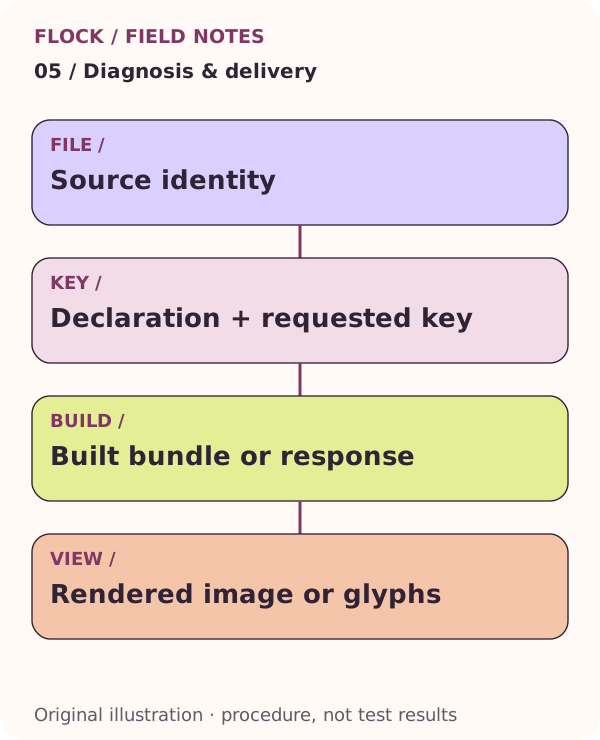
Source identity; then Declaration + requested key; then Built bundle or response; then Rendered image or glyphs. This is an explanatory illustration, not a test result.